Features
Everything an audit asks for, kept current instead of rebuilt every year. Each area is a screen your team works in day to day, and an export your auditor can read.
Services and access reviews
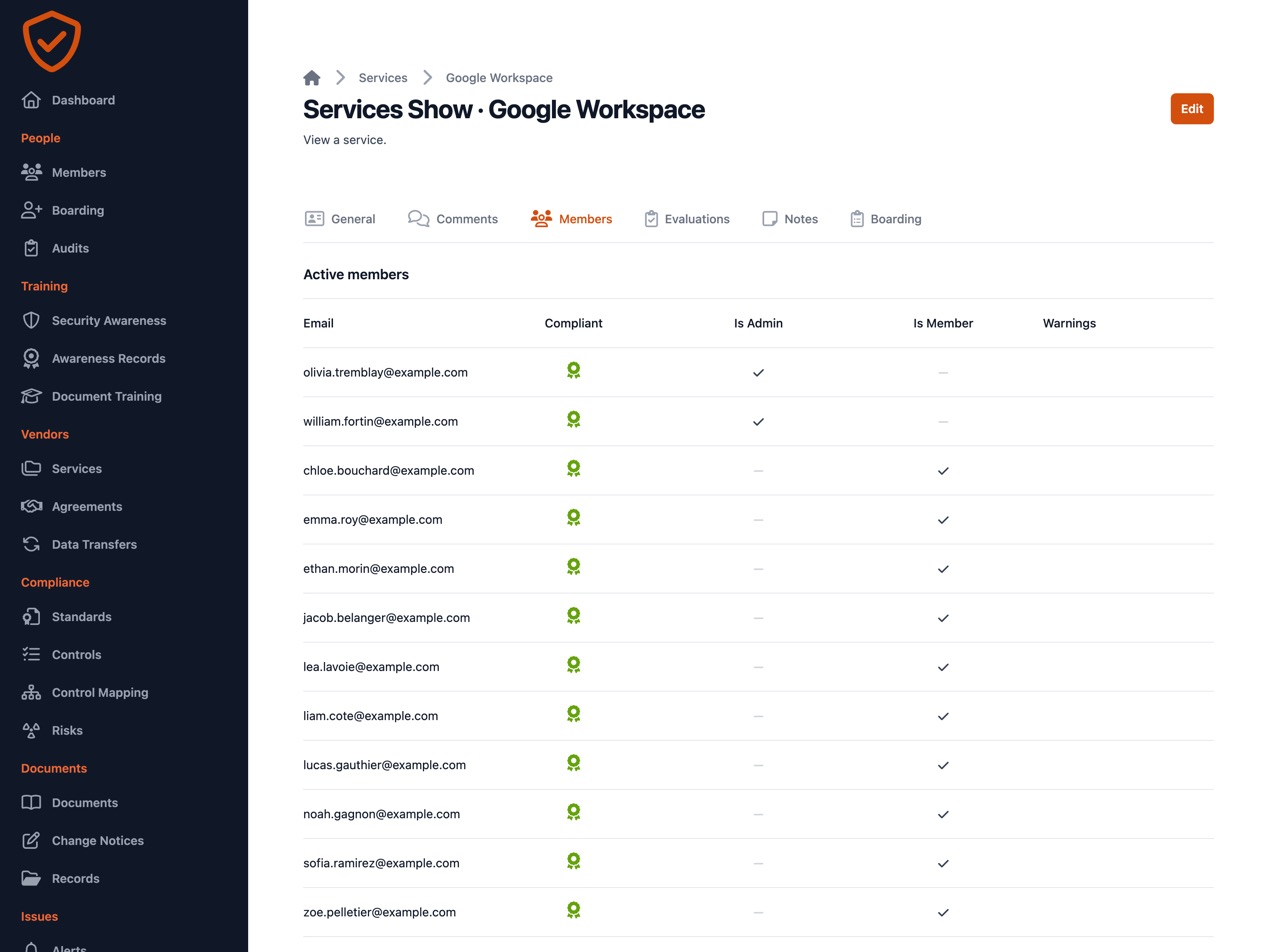
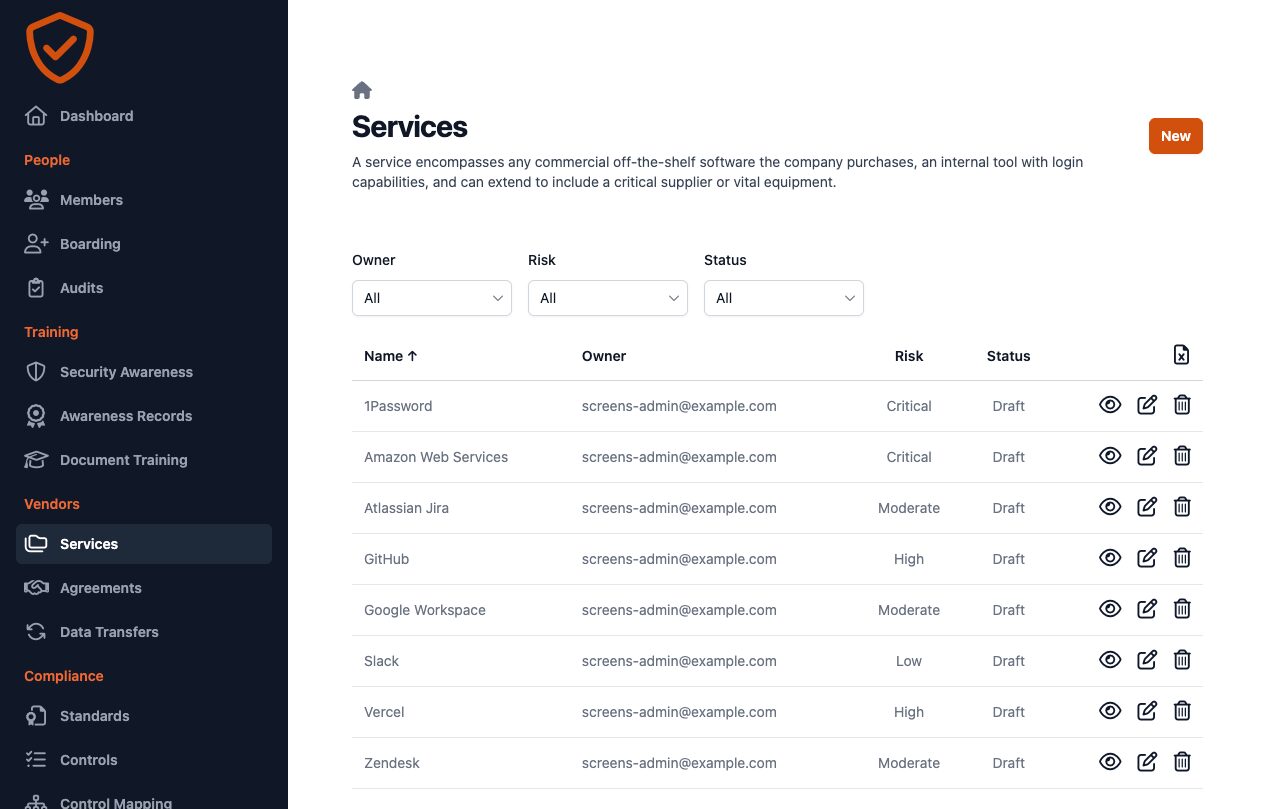
Every SaaS and cloud service with its owner, risk and evaluation. Who has access, who is an admin and who stopped using it comes straight from the service, so a review is a check, not a spreadsheet.
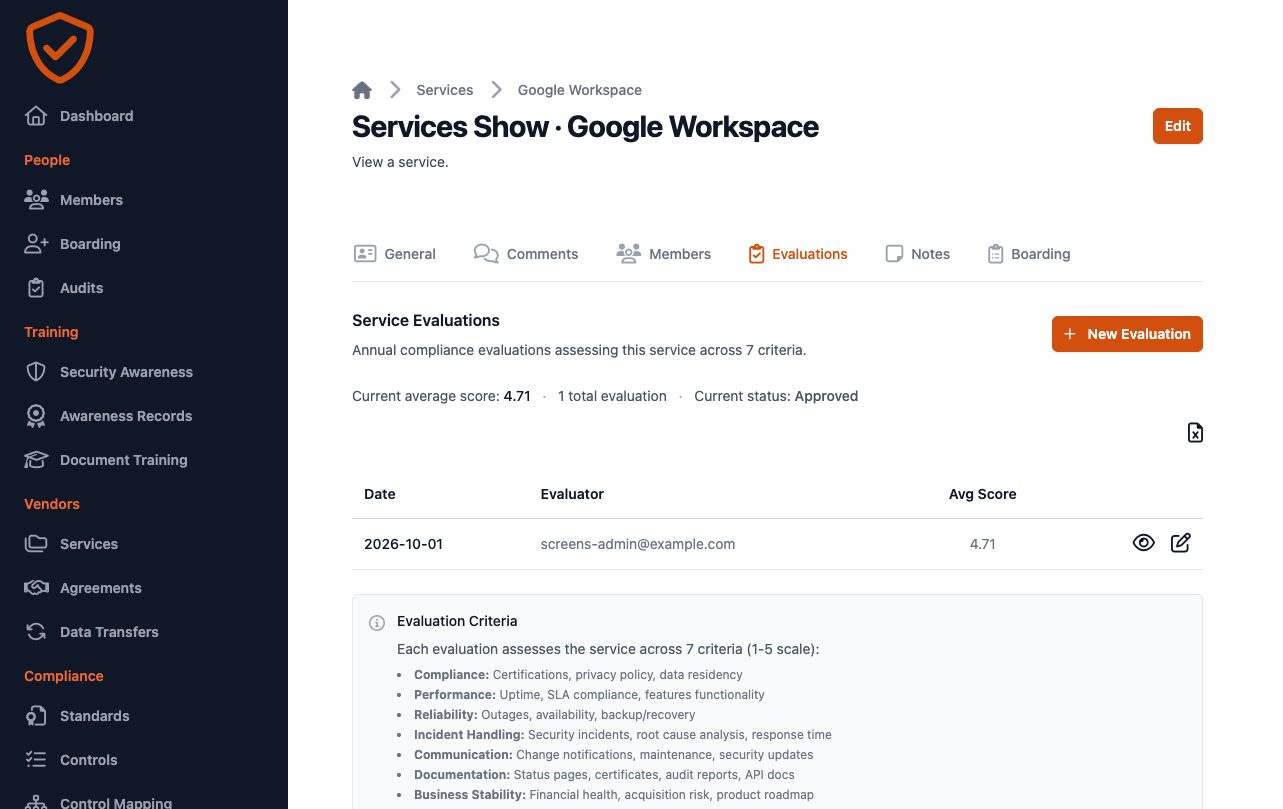
- An annual evaluation on seven criteria, ending in approved, under surveillance or rejected.
- Risks linked from your risk register, and the residual risk accepted on record.
- Access logs read from the vendor and sorted by ISO 27001 event type, for the services that provide them.
- Accounts unused for 45 days flagged, with a digest to the service owner.
Onboarding and offboarding
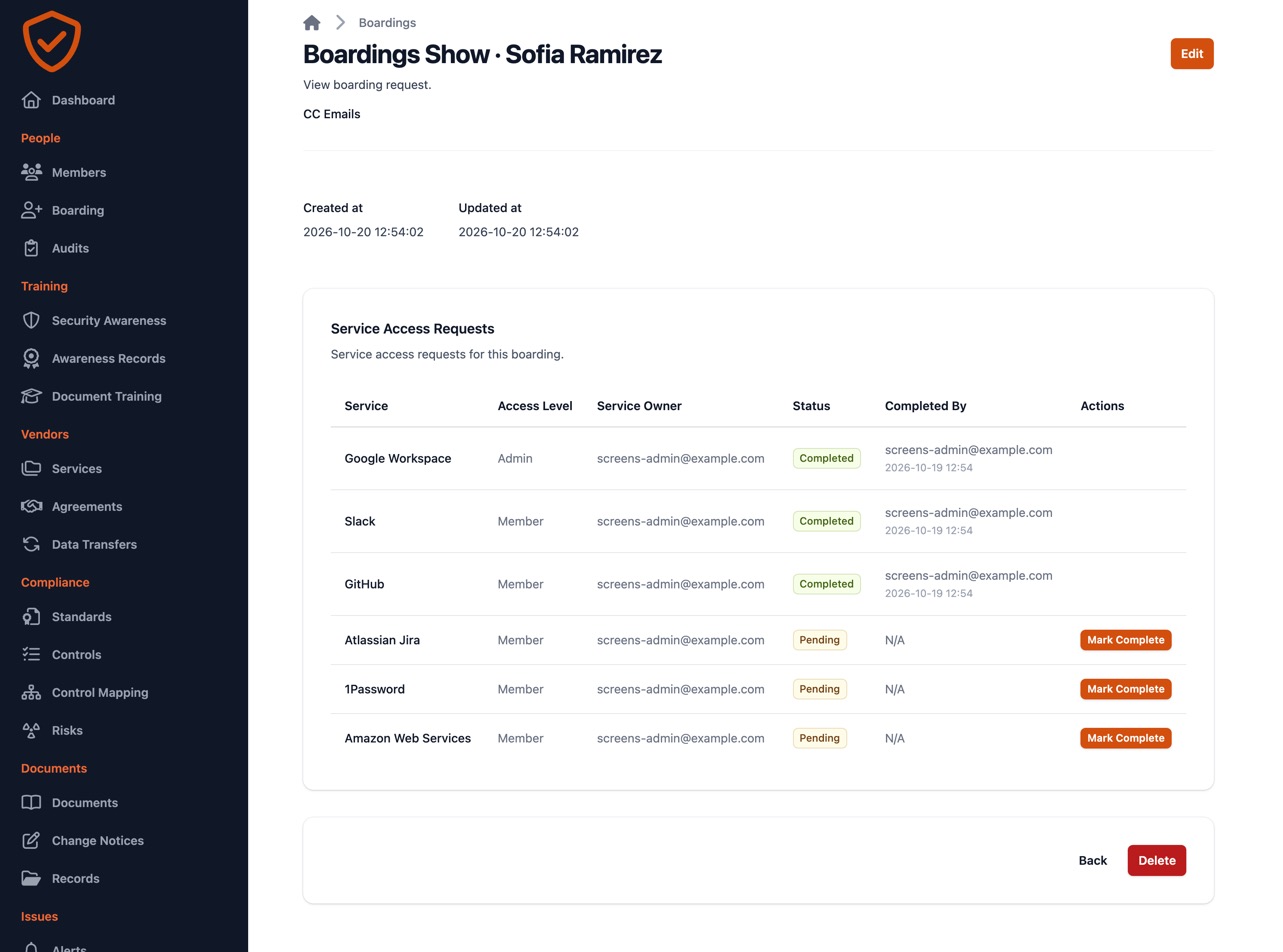
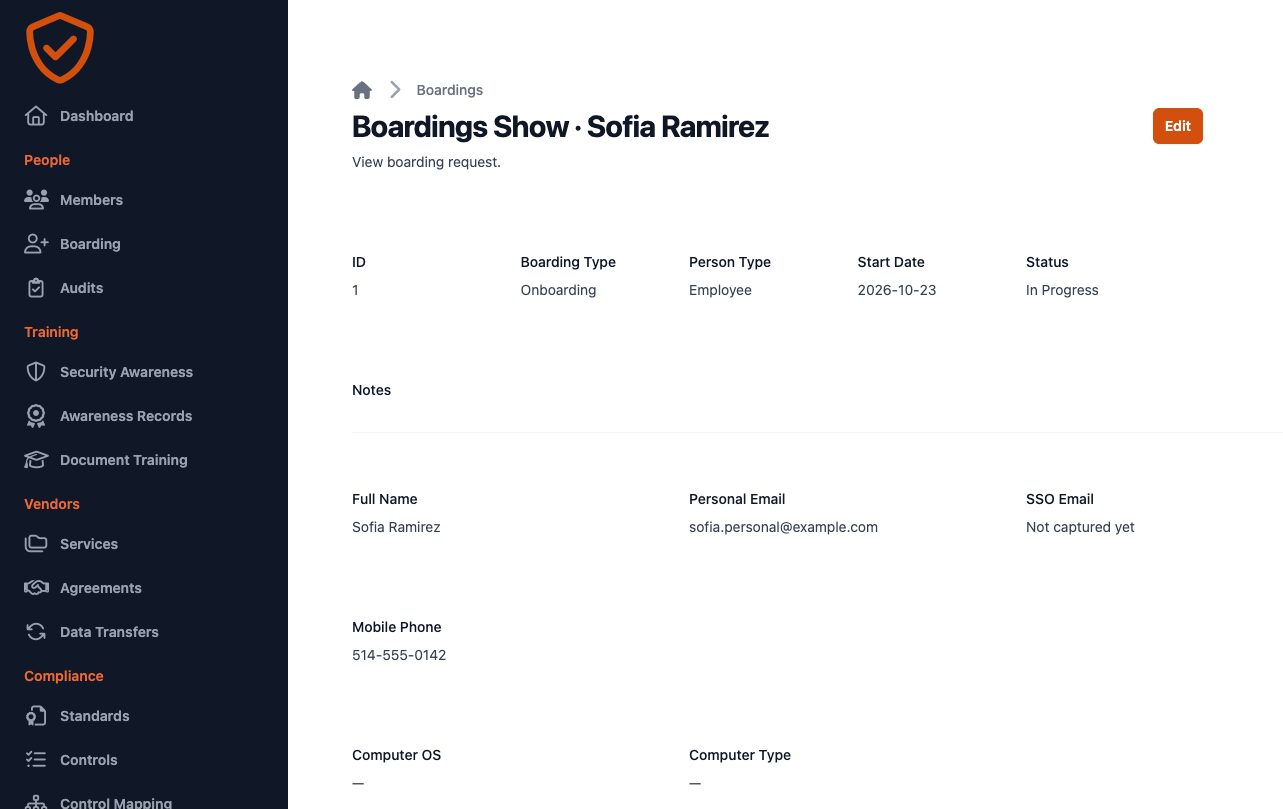
A checklist per person with a task for each service owner, from the first day to the last. Access that should have been removed shows up before the auditor finds it.
- Onboarding, offboarding and access-change requests in one place.
- A task for each service and group the person gains or loses.
- Your own questions per service, asked at every boarding.
- People removed from your directory flagged as deprovisioned.
Device audits and document training
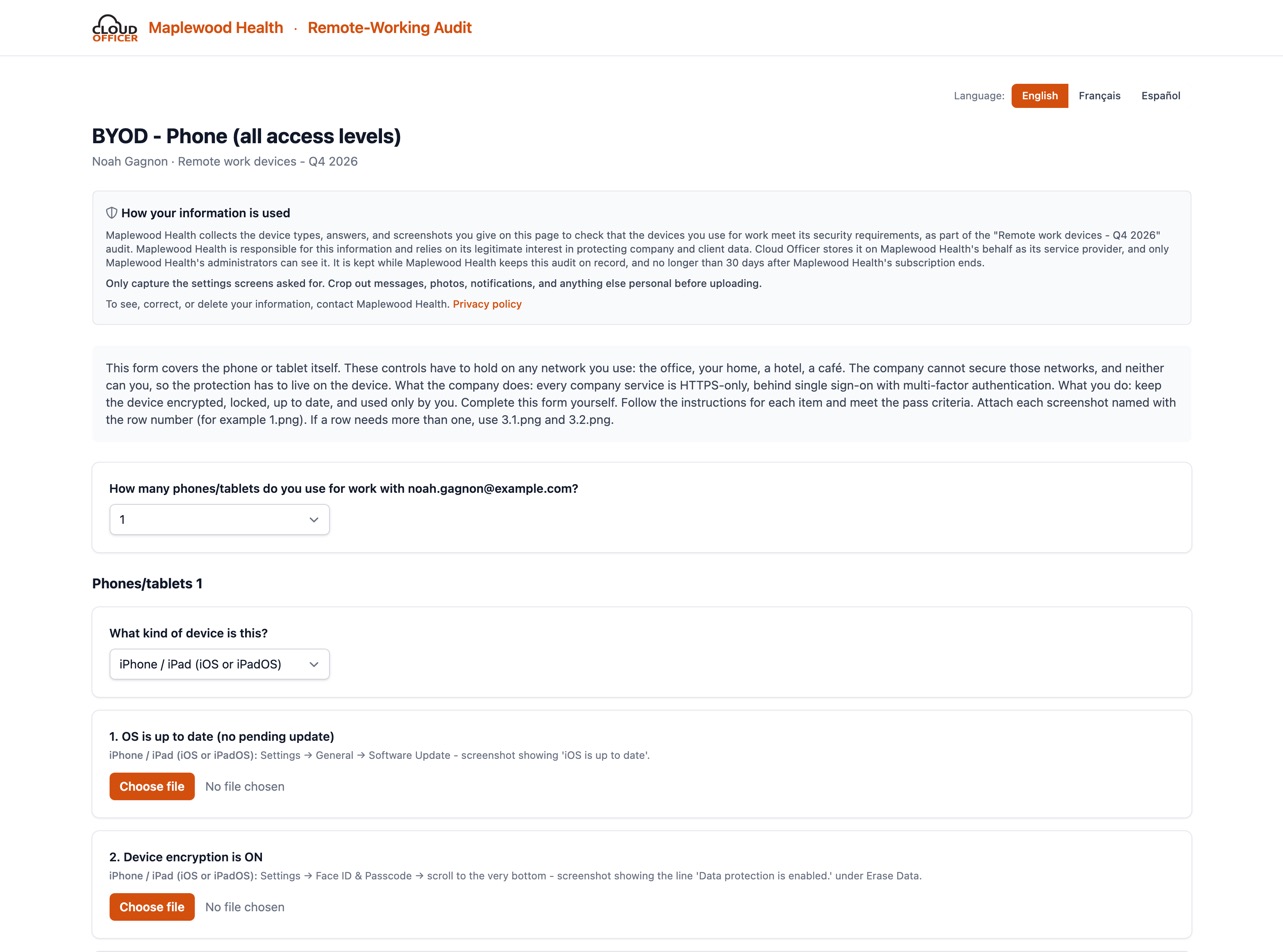
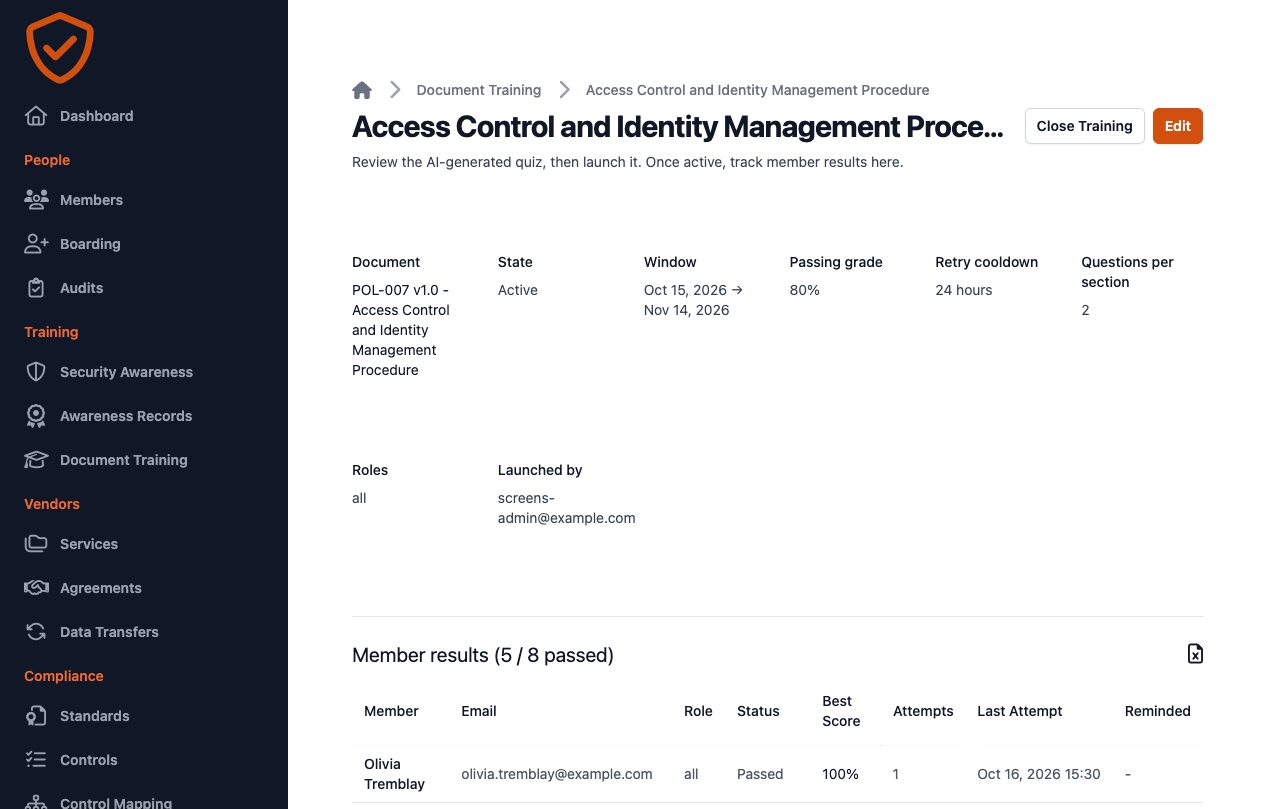
Staff check their own laptops and phones and read your policies from a link, without an account, in their language. You get a signed record for each person.
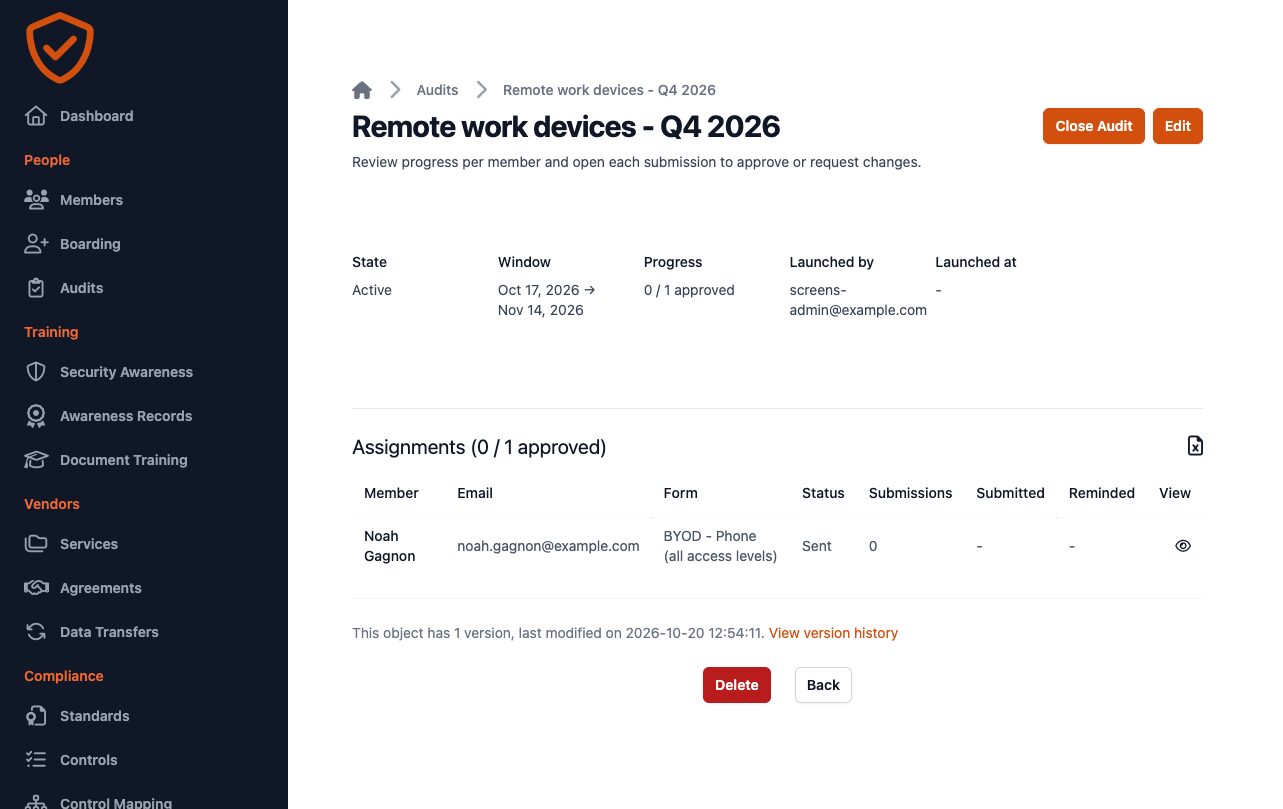
- Self-audits of personal phones and computers, from a link with no account, in English, French or Spanish.
- Weekday reminders until it is done, a review by IT, and a PDF filed in your records.
- Quizzes generated from an approved document, assigned by role, with a pass or fail for each person.
Documents and policies
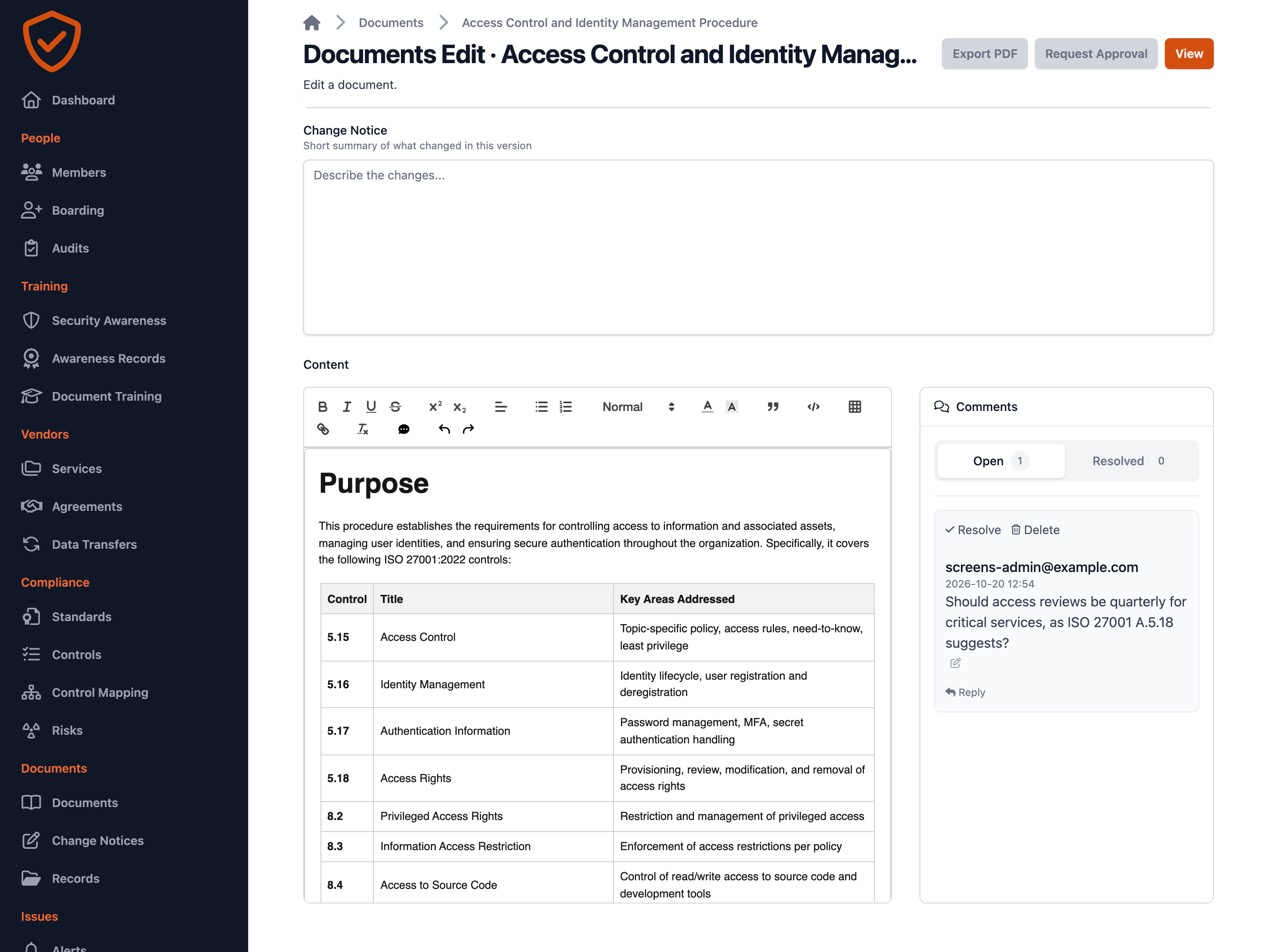
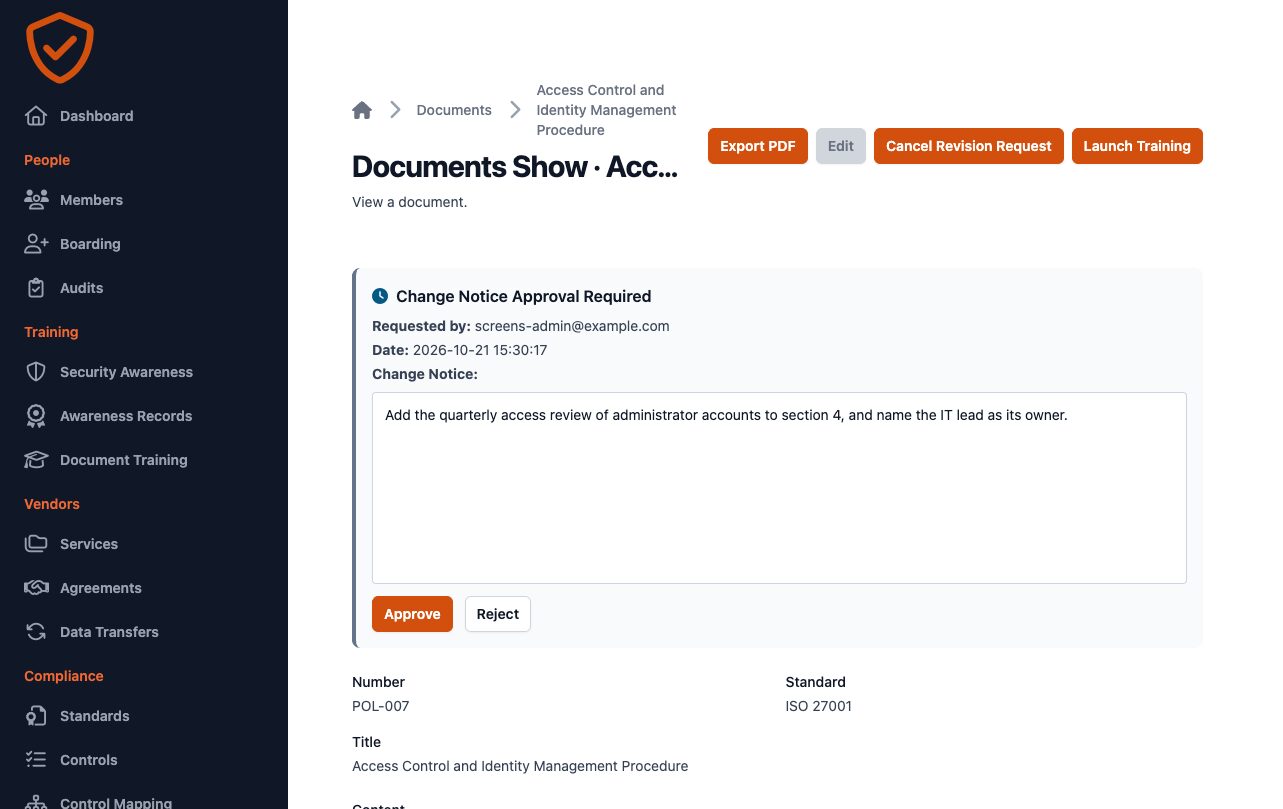
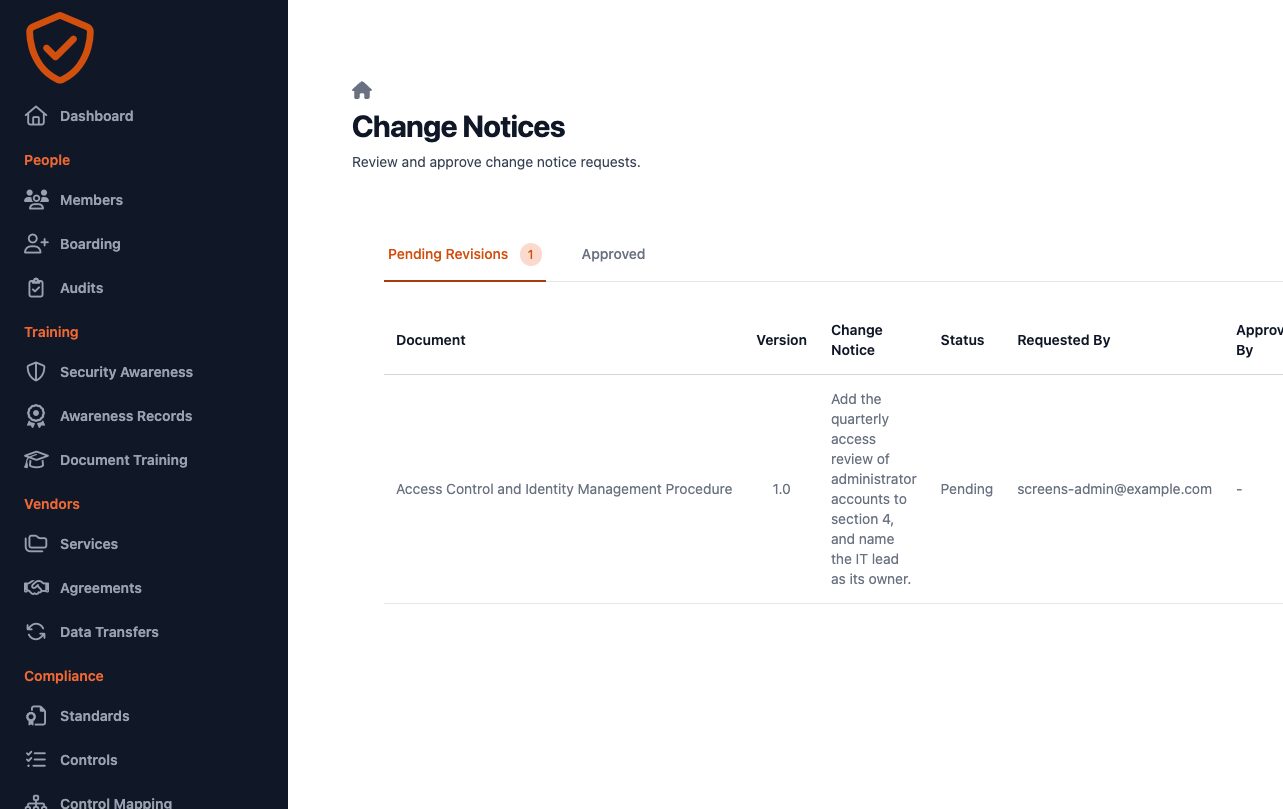
Start from templates for each standard, edit together, and approve with a signature. Every version and change notice is kept, and exports as a PDF with your branding.
- Templates with the standard's controls already linked.
- A notice when the template changes, with a word-by-word comparison.
- Revisions, change notices and approval with the approver's signature.
- PDF export with confidentiality marking, document number, revision and page numbers.
Incidents and corrective actions
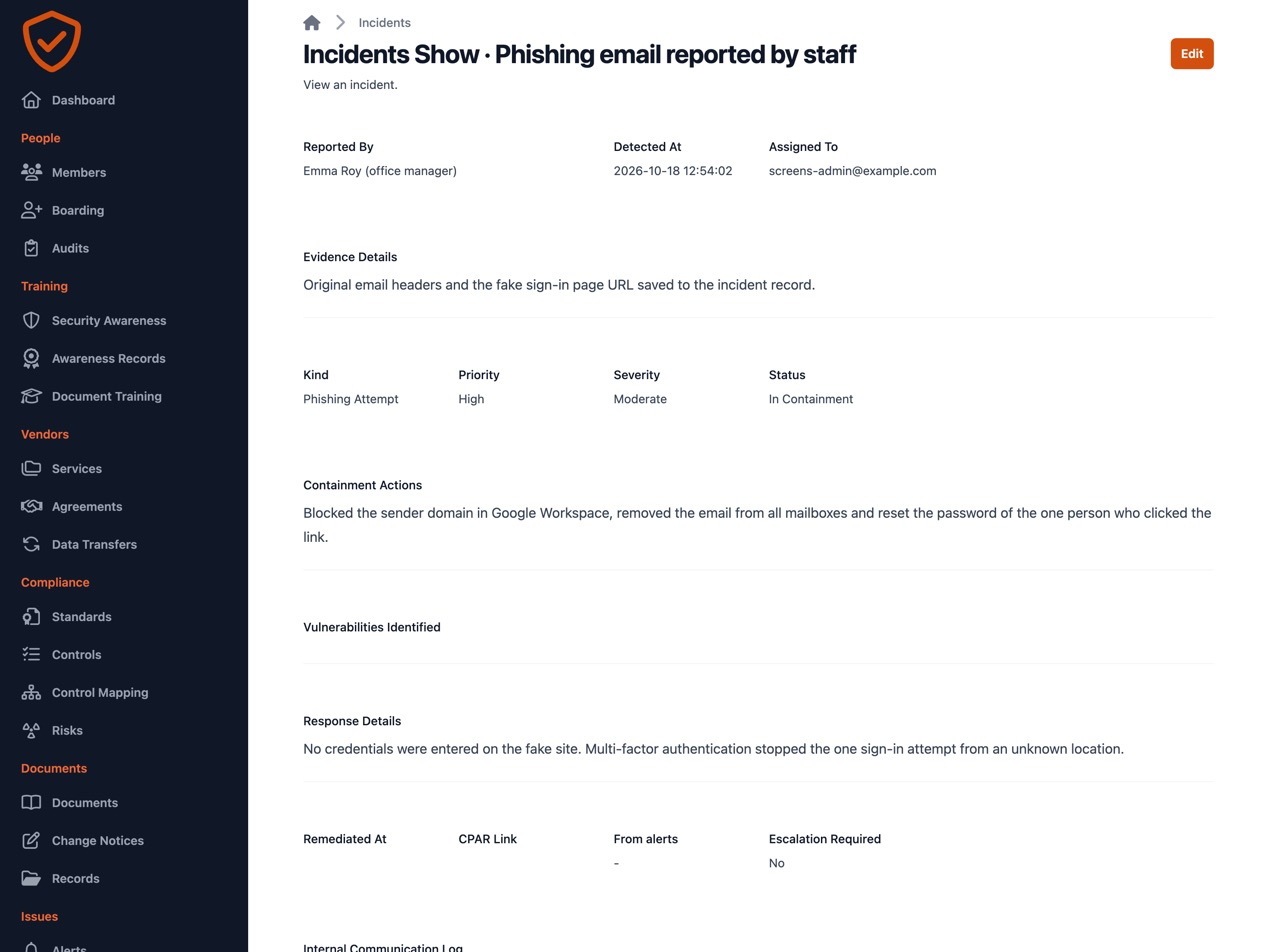
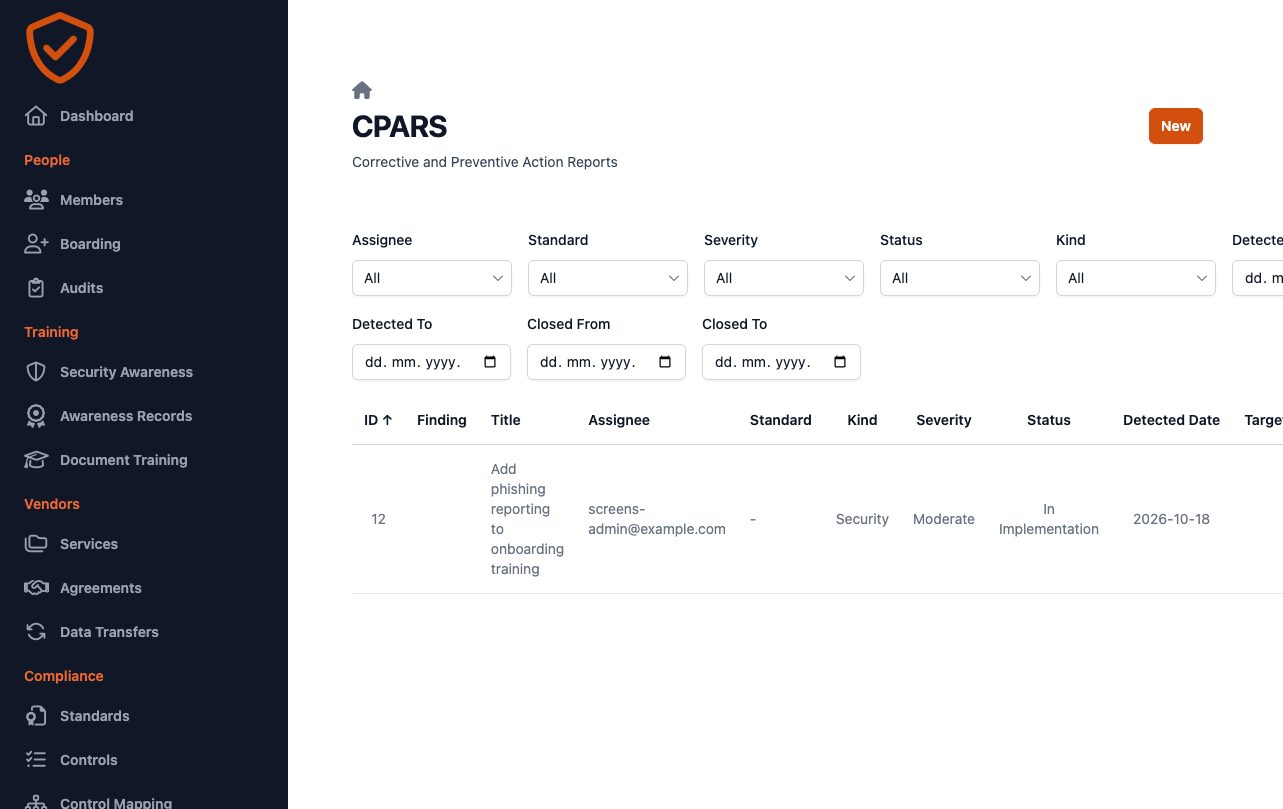
Log an incident, follow it through containment and communication, and turn what you learned into a CPAR with an owner and a check that it worked.
- Type, severity and priority for every incident.
- Corrective and preventive actions from incidents, audits, complaints or supplier evaluations, with a root cause and a verification step.
- AI feedback on how the incident and the corrective action are written.
- Email reminders to the person assigned until it is closed.
Security scans
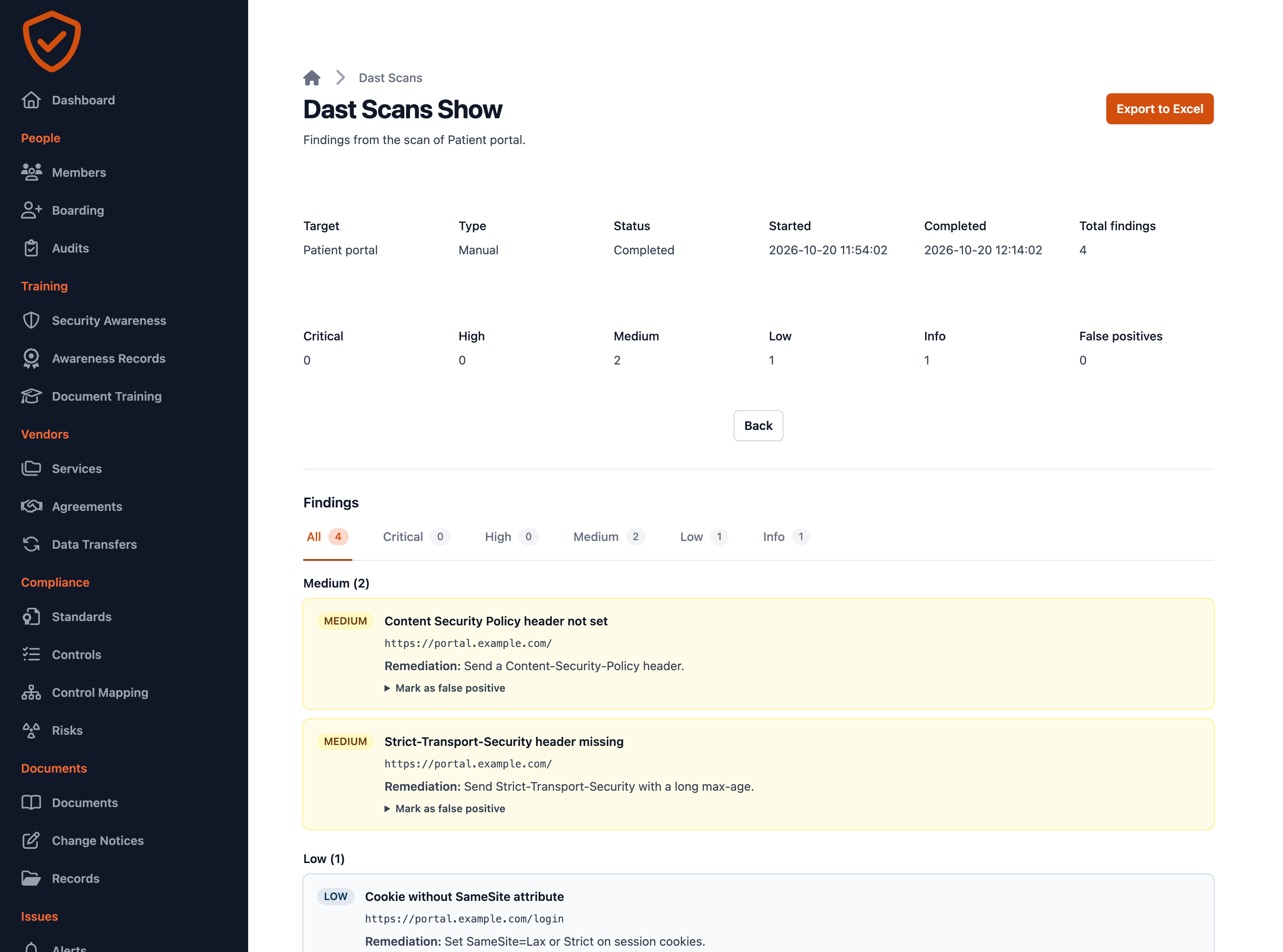
Scheduled scans of your web applications, with findings ranked by severity and false positives you mark once and stop seeing.
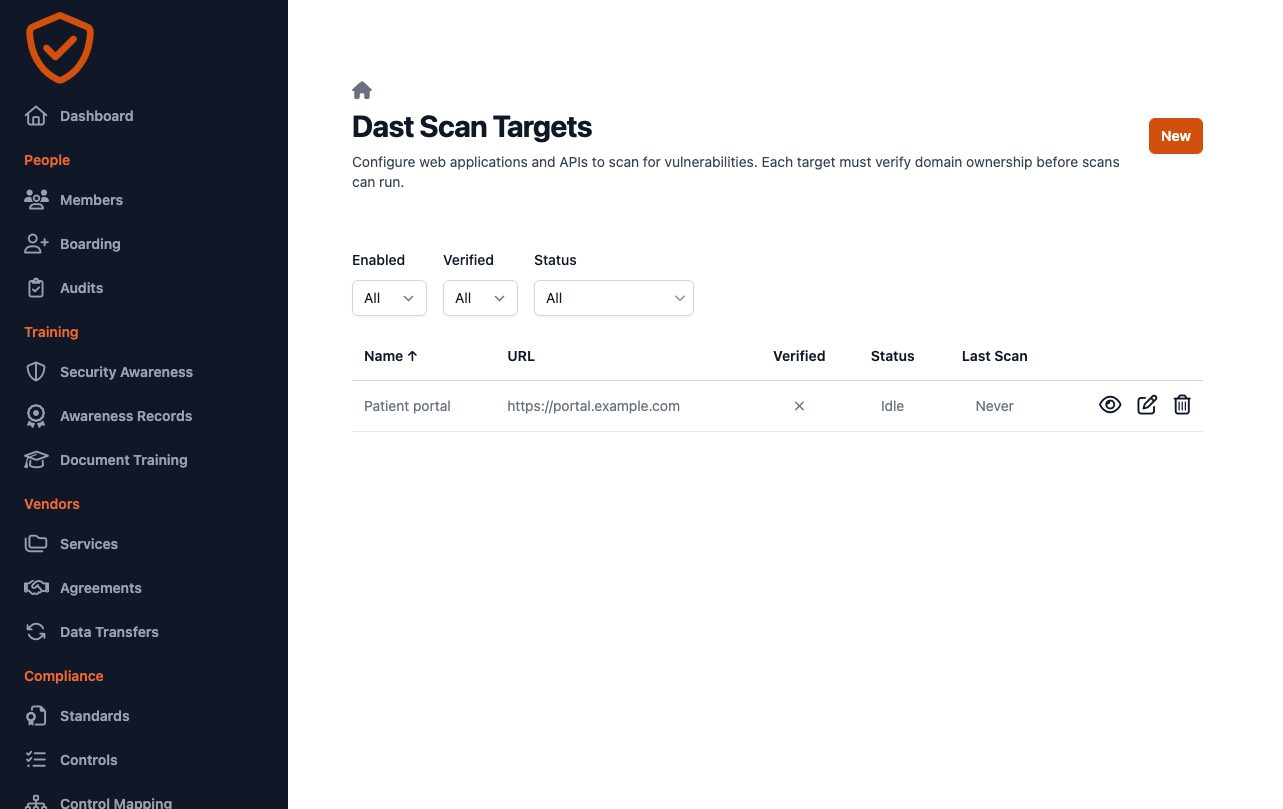
- OWASP ZAP and Nuclei, on a schedule or on demand.
- Only against domains you have verified with a DNS record.
- Pages behind a sign-in too: bearer token, API key, session cookie or OAuth2.
- False positives marked once, then left out of counts, email alerts and reports.
Try it free for 14 days
One plan with everything included. Your workspace is ready on its own address as soon as you sign up.